.webp)
Resources
May Product Update: What's New (and What's Coming) in Brushfire
Smarter payment plans are here. Custom fees are on the way.
.webp)
We’ve got a fresh update live today, plus a look at something bigger coming next month. Let’s get into it.
New: Set a Default Payment Plan Option
If you offer payment plans on your tickets, you’ve always been able to give attendees a few options for how they want to pay. Now you can decide which one is pre-selected when they land on the checkout page.
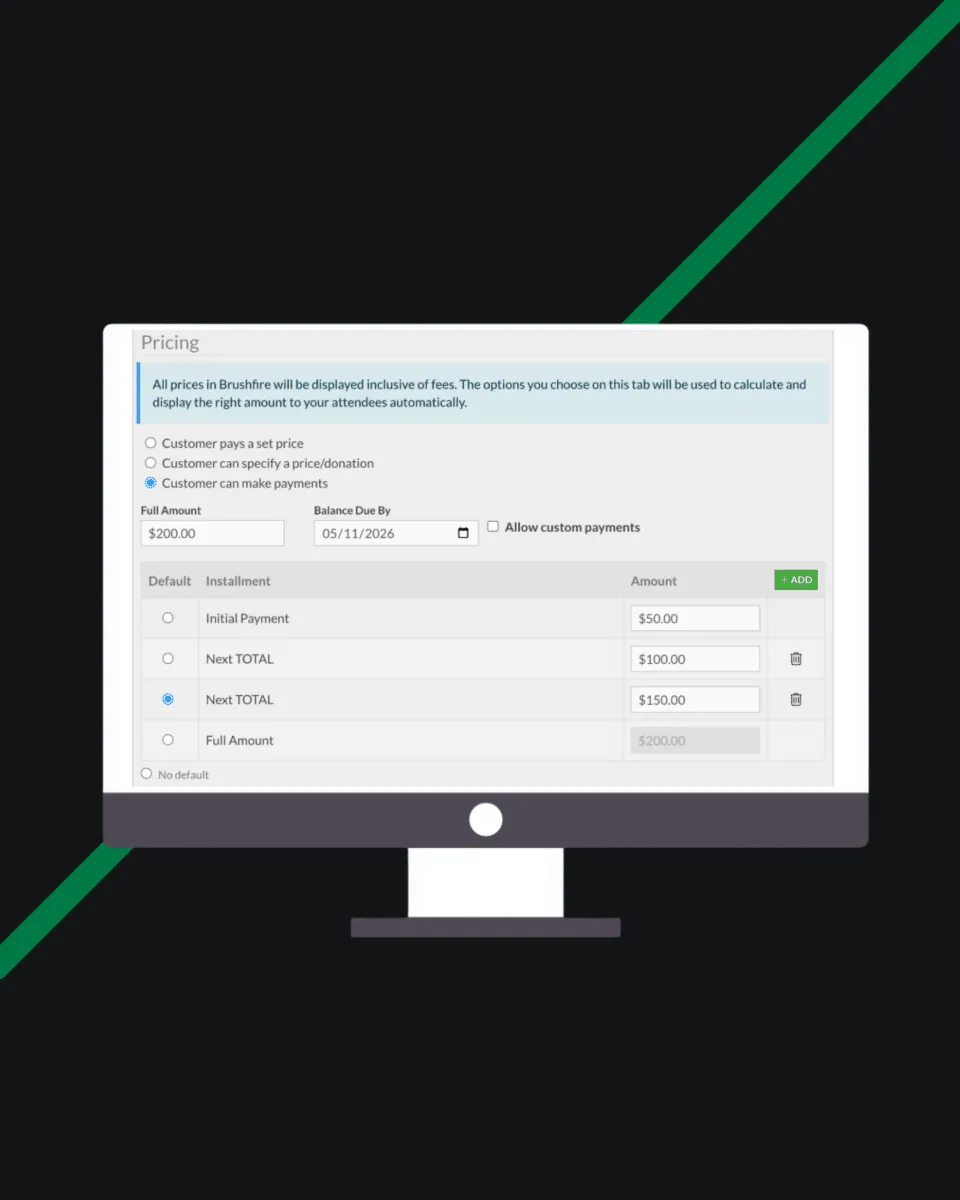
This might sound small, but it makes a real difference. Whether you want to nudge attendees toward a specific plan or just reduce friction at checkout, you’re now in control of what they see first. The default option you set shows up automatically on both the admin side and the attendee-facing checkout, so everyone is working from the same starting point.
You can configure it right from the Attendee Types section in your event dashboard.
Coming Next Month: Custom Fees
Per Ticket Type
Right now, fees in Brushfire are set at the order level and ticket/attendee level. Next month, that’s changing for the better!
You’ll be able to define fees and taxes directly on each ticket type, with as many named rows as you need. Want a processing fee on general admission but not on VIP tickets? A different tax rate for dinner tickets? You’ll have that control. Fees can also be applied to paid add-ons, so nothing gets missed.
On the reporting side, you’ll be able to see exactly how much was collected for each fee and tax across your events, broken down by name. Much cleaner than a single lump sum.
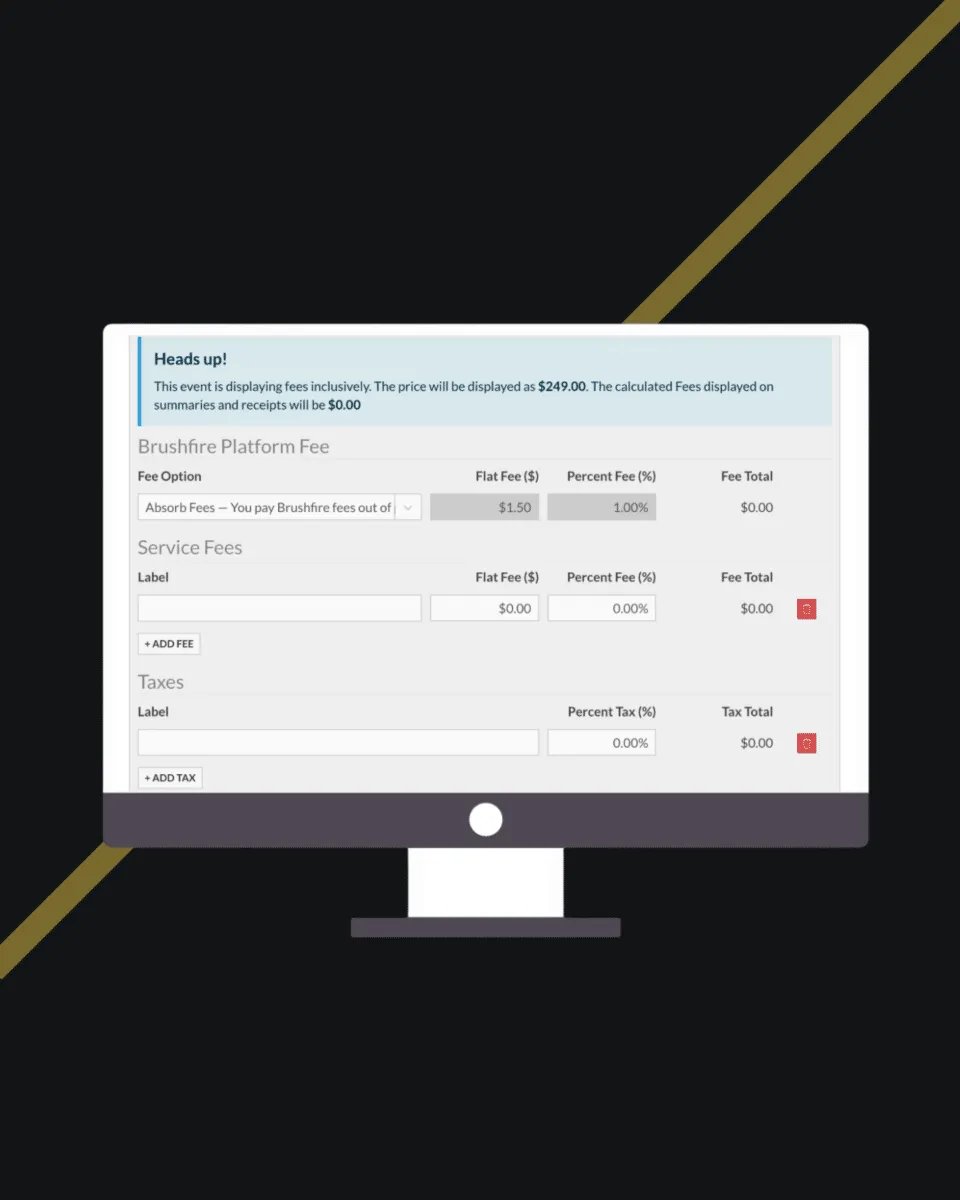
More details are coming when it launches. If you’re not already subscribed to our monthly product update email, head to here and hit the blue subscribe button so you don’t miss it.
ICYMI: Mass Cancellations and Event Credits
Last month, we shipped two features that work together to take one of the most stressful moments in an event organizer’s year and make it manageable. Mass Cancellations lets you cancel hundreds or thousands of attendees at once, choose how they get refunded, and send them a personal message. Event Credits give you a flexible refund alternative: a unique credit code attendees can use toward any future event you host on Brushfire. Both features are live now. Check out last month’s full post to see how they work together.
As always, if you have questions about any of this, our team is here. Just reach out!
“ticketing”
50 articles found
Show all
Serving up Success a perfect partnership
Serving up Success a perfect partnership
Serving up Success a perfect partnership
.svg)
Related Blogs



Ready to stop
.avif)