
May Product Update: What’s New (and What’s Coming) in Brushfire
Smarter payment plans are here. Custom fees are on the way.
We updated fees and taxes and added search to the Event App. Take a look!

We’ve been busy. Here’s a look at two updates that make Brushfire easier to use — for you and for your attendees.
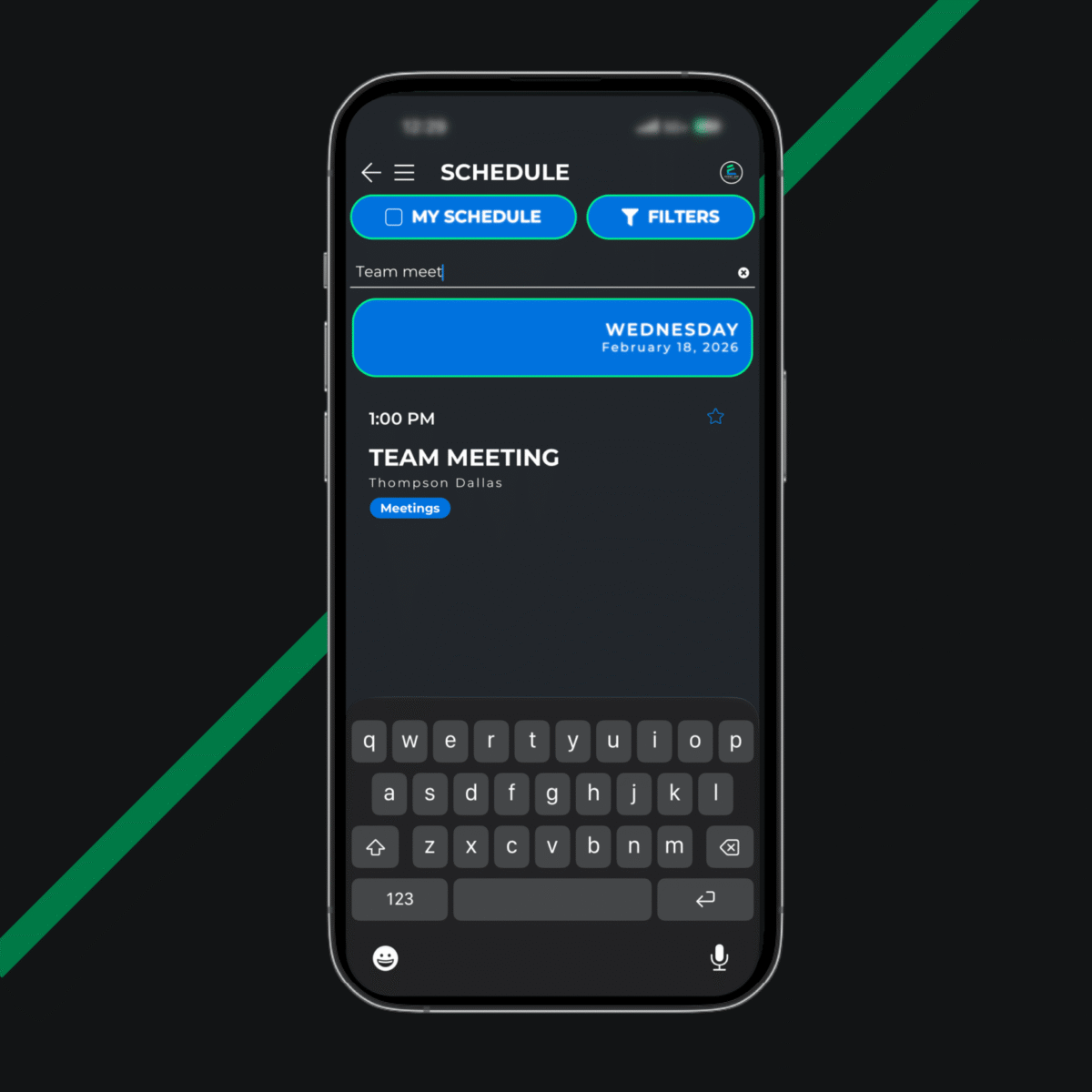
Finding the right session or post in a packed event app just got easier. A new search field at the top of the Schedule and Newsfeed means attendees spend less time scrolling and more time engaging.
Interested in an Event App for your next event? Learn more here.
Fees and taxes look simple on the surface. But for organizers with specific reporting needs or complex ticket configurations, the details matter. We updated how fees and taxes work in Brushfire, opening up new flexibility in how you configure them and more accuracy in how they’re reported. Here’s what changed and why it matters.
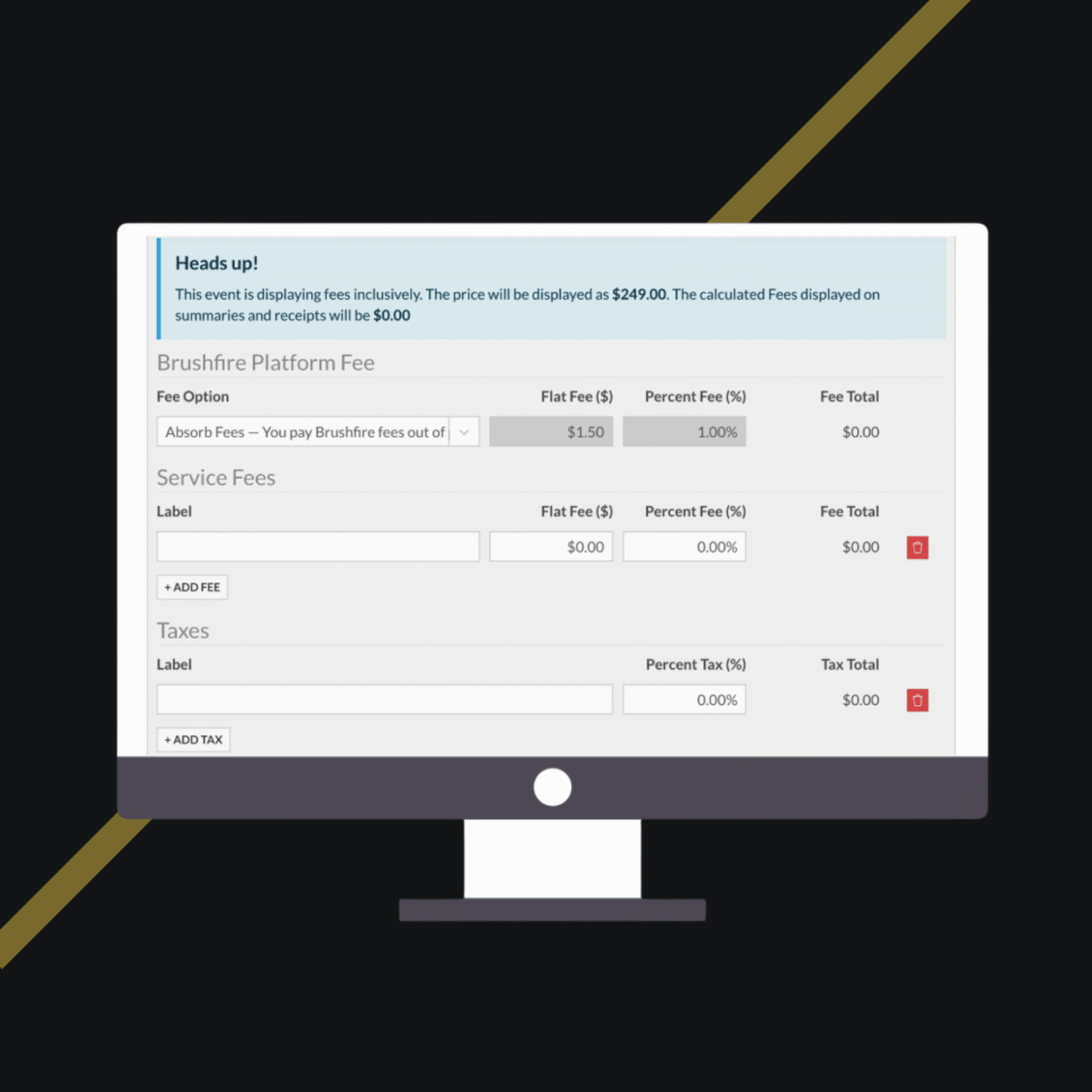
The old model had order-level fees and only allowed a single custom fee field — one lump sum applied across the whole transaction. That worked fine for simple setups, but it created gaps for anyone who needed per-attendee accuracy or wanted to define multiple named fees differently across ticket types.
We’ve fixed both of those things.
The big shift: every fee and tax is now tied to a specific attendee on an order. Not the order as a whole but each individual ticket.
That means when one attendee in a group of ten changes their ticket, their fee is their fee — nothing gets complicated. Refunds are cleaner. Reporting is exact. And you always have a clear record of exactly what was collected for exactly which attendee.
We’ve also completely replaced the old single-field fee configuration with something much more flexible.
Each Attendee Type — and each add-on — now has its own Fees & Taxes tab. Inside, you can add as many named fee and tax rows as you need — each with a label, an optional flat dollar amount, an optional percentage, or both. That means:
And we even created a new report — the Tax Breakdown Report — to make tracking all of this easier across your events. It’s available at the organization level and shows the total collected for each named fee and tax, grouped by event. If you run events in multiple cities or states with different tax rates, it’s one clean place to reconcile what you owe.
As always, if you have questions about your specific setup or want help getting your configuration just right, reach out to our support team. We’re here.
Want to dive deeper into the fees and taxes update? Check out our help article for a full walkthrough.
Smarter payment plans are here. Custom fees are on the way.
Make large-scale cancellations faster, less stressful, and more flexible.
Cleaner imports, attendee peace of mind, and the Brushfire team that goes beyond the platform.